

Your field team just finished a round of inspections. The paper forms are stacked on someone's desk, half the handwriting is unreadable, and the corrective actions from last month still haven't been closed out. If that sounds familiar, you're not alone. Safety teams across construction, manufacturing, and transportation deal with this every week.
A digital checklist platform can replace that pile of paper with structured, mobile-ready workflows for inspections, audits, and toolbox talks. The right tool connects your inspection findings to training records and compliance documentation so nothing slips through the cracks.
Ving gives safety teams one place to manage checklists, training, and compliance tracking without switching between disconnected systems. In this article, you'll find a side-by-side comparison of six platforms built for field-driven safety operations, along with the criteria that matter most when choosing one.
Quick answer: The best digital checklist tool depends on your operating model. Ving is a strong fit for safety teams that want checklists, training, toolbox talks, and compliance records in one mobile-friendly workflow without requiring employees to download an app. Mitti emphasizes a large template library and offline inspections, while EHS Insight, Vector Solutions, Novara Flex, and HSI offer broader EHS capabilities with different training, analytics, and implementation options.
Disclosure and methodology: Ving publishes this comparison and is included in it. We evaluated publicly available product information against the criteria below. Features, packaging, and pricing can change, so confirm current capabilities directly with each vendor. Product information was reviewed on October 6, 2026.
This article provides general educational information and is not legal advice. Software can support a safety and compliance program, but no platform by itself guarantees compliance. Employers remain responsible for identifying and meeting the requirements that apply to their workplaces.
Quick guide: 6 best digital checklist platforms for safety teams
- Ving: A strong fit for safety teams that want integrated checklists, training, toolbox talks, and compliance tracking without requiring employees to download an app
- Mitti (by SafetyCulture): A checklist-first operations tool with a large template library for multi-site inspection workflows
- EHS Insight: A modular EHS platform with configurable audit and inspection management for compliance-focused organizations
- Vector Solutions: An EHS and LMS combination that connects inspection findings to AI-driven training recommendations
- Novara Flex: A configurable safety management platform with form-based inspections and a built-in compliance calendar
- HSI: A unified EHS and training platform with AI-powered hazard recognition and corrective action suggestions
How we chose the best digital checklist platforms for safety teams
You need a platform that works where your team works: on the job site, in the warehouse, and at the plant. We reviewed publicly available product materials and compared the six platforms below against workflows safety managers and EHS leaders commonly use.
Here's what shaped our evaluation:
- Field inspection workflows: Can your inspectors complete checklists on a mobile device, attach photos, and submit findings before they leave the site?
- Training integration: Does the platform connect inspection results to relevant safety training so you can close skill gaps without jumping to a separate system?
- Toolbox talk delivery: Can you schedule, deliver, and document short safety talks by text, email, or QR code directly from the same tool?
- Compliance tracking: Does it give you real-time dashboards showing who has completed required training, which inspections are overdue, and where corrective actions are stalling?
- Corrective action management: When an inspection flags a hazard, can you assign a corrective action, set a deadline, and track it to closure within the platform?
- Documentation and retrieval: Can the platform produce organized, exportable records with timestamps, photos, and completion data to support OSHA inspection or internal audit preparation?
- Ease of adoption: Can field employees access checklists without downloading an app, logging into a portal, or sitting through hours of onboarding?

The 6 best digital checklist platforms for safety teams
1. Ving: A strong fit for integrated checklists, training, and toolbox talks
Ving connects Smart Checklists, safety training, toolbox talks, and compliance tracking in a single platform built for field-driven organizations. Instead of toggling between an inspection app, an LMS, and a spreadsheet, you get one system that ties inspection findings directly to training assignments and compliance records.
Your inspectors can complete digital checklists from any device without downloading an app. They submit findings in real time, and flagged issues appear on your dashboard immediately. When an inspection reveals a training gap, you can assign a course from Ving's library of more than 2,000 training courses, including workplace safety topics, right from the same interface.
Ving also automates toolbox talks by scheduling and delivering them via text, email, or QR code. Participation is recorded automatically, creating an organized record that can support training documentation requests during an OSHA inspection or internal audit. Employers should still confirm that their records meet each applicable standard.
Ving features
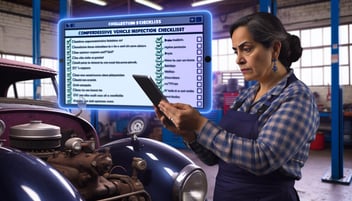
- Smart Checklists: Create customizable inspection templates for vehicles, fire extinguishers, lockout/tagout, equipment maintenance, and job site hazard analyses. Ving records results in real time on your compliance dashboard, so you see flagged issues the moment they're submitted.
- Integrated training library: Access more than 2,000 training courses, including workplace safety topics and microburst options that typically run three to five minutes. When an inspection finding points to a knowledge gap, assign the relevant course directly from the platform.
- Automated toolbox talks: Schedule and deliver more than 200 toolbox talk topics by text, email, or QR code. Completion data feeds into the same compliance record as your inspections and training.
- No-login mobile access: Field employees complete checklists and training on their phones without downloading an app or creating login credentials, which removes a major adoption barrier for distributed teams.
- Corrective action tracking: Assign follow-up tasks from inspection findings, set deadlines, and monitor closure status in one view. Ving's OSHA compliance tools can help connect corrective actions with related training assignments and documentation.
- Multi-language support: Deliver checklists, training, and toolbox talks in multiple languages so every worker on your team receives safety information they can understand and act on.
Ving pros and cons
Pros:
- Combines checklists, training, toolbox talks, and compliance tracking in one connected system, reducing the need for separate tools
- No-login, no-download mobile access makes adoption straightforward for field crews who are not at a desk
- Microburst training format keeps sessions short enough that workers can complete them between tasks without leaving the job site
Cons:
- The platform focuses on safety training and inspections, so teams looking for broader environmental or sustainability management modules would need to pair it with another tool
- Organizations with very large content libraries may need time to organize and tag existing materials during initial setup
- Advanced analytics customization may require support from the Ving team for complex, multi-site reporting configurations
2. Mitti (by SafetyCulture): A template-rich inspection tool for multi-site operations
Mitti (by SafetyCulture) grew from SafetyCulture's mobile inspection tools into a broader frontline operations platform. It offers a large library of pre-built checklist templates across industries. Teams can customize templates, capture photos or video, and assign corrective actions from the field.
The platform includes integrated training, issue reporting, communications, and analytics. Its inspection tools work offline on mobile devices, and data syncs once connectivity returns. Public product materials also describe a library of more than 1,000 editable training courses.
Mitti (by SafetyCulture) features
- Template library: Access a large collection of ready-made inspection checklists that you can edit and deploy to field teams on mobile devices
- Automated scheduling: Set recurring inspection schedules with notifications so inspectors receive reminders and managers can track completion rates
- Issue capture and actions: Flag hazards during inspections, attach photos, and assign corrective actions directly from the checklist
Mitti (by SafetyCulture) pros and cons
Pros:
- Offers a large inspection template library, which can reduce setup time for common checklist types
- Mobile app works offline, making it usable on remote job sites without consistent internet access
- Includes integrated training and frontline communication features alongside inspections
Cons:
- Teams needing a highly specialized safety training catalog should review the current course library against their exact regulatory and workforce requirements
- Organizations that require employee access without an app or account should confirm the current access options during evaluation
- Feature availability and limits vary by package, so buyers should confirm the current plan that includes the workflows they need
3. EHS Insight: A modular EHS platform for compliance-driven audit teams
EHS Insight provides a modular platform covering incident reporting, audits, inspections, training management, hazard assessments, and document control. Organizations can choose the modules they need and configure workflows to match their compliance programs. The platform includes an offline-capable mobile app for field-based inspections.
EHS Insight has added AI-powered features including a field suggestion copilot and an AI report chatbot. The platform is designed for EHS professionals who manage OSHA recordkeeping and regulatory compliance across manufacturing, construction, and energy operations.
EHS Insight features
- Customizable checklists: Create and reuse inspection forms tailored to your specific safety protocols, operational needs, and regulatory requirements
- Offline mobile access: Complete audits and inspections in the field without internet connectivity; data syncs automatically when the device reconnects
- Corrective action workflows: Automated notifications, assignments, and escalations help ensure corrective actions are resolved on schedule
EHS Insight pros and cons
Pros:
- Modular design allows organizations to start with audits and inspections and add other EHS capabilities over time
- AI-powered features such as the field suggestion copilot and SIF precursor detection add data analysis layers to inspection workflows
- Covers a wide scope of EHS functions including incident management, risk assessments, and document control alongside inspections
Cons:
- Training content and catalog depth depend on the selected setup; current materials describe built-in content through Marcom and optional OpenSesame integration
- The breadth of available modules can require significant configuration time during initial deployment
- Teams that need automated toolbox-talk delivery by text message or QR code should confirm the current workflow and integrations
4. Vector Solutions: An EHS and LMS platform with AI-driven training recommendations
Vector Solutions combines EHS management software with a learning management system. The platform includes inspection tools with configurable checklists, GPS location capture, and photo attachments. Its AI-driven feature analyzes incident details and recommends relevant training courses from the Vector LMS library.
Inspection data flows into dashboards that track completion rates, open findings, and compliance status across sites. Vector Solutions is oriented toward organizations that want to connect safety incidents and inspections to training assignments within a single vendor's ecosystem.
Vector Solutions features
- Configurable inspection checklists: Build checklists with GPS location tracking, photo capture, recommendations, and mobile or offline completion
- AI training recommendations: After an incident is logged, the AI analyzes the event and suggests specific corrective training from the Vector LMS library
- Automated scheduling: Set recurring inspection and audit schedules with task assignments and notifications to keep field teams on track
Vector Solutions pros and cons
Pros:
- Connects EHS incident data to LMS training assignments, creating an automated corrective training workflow
- Supports configurable inspection checklists with GPS, photo attachments, mobile access, and offline completion
- Supports mobile and offline inspection completion for field teams operating in areas with limited connectivity
Cons:
- Organizations should confirm the Vector EHS, LMS, and course-library configuration required for their preferred workflow
- Toolbox talk delivery and automated scheduling of short safety talks are not a highlighted inspection workflow feature
- The broader EHS and LMS scope may require more configuration than a checklist-only product, so teams should confirm implementation needs
5. Novara Flex: A configurable safety management tool with form-based inspections
Novara Flex (formerly KPA Flex) is a cloud-based safety management platform that includes configurable forms, incident management, a compliance calendar, and a training library with more than 1,000 courses. The mobile app lets you build inspection checklists, near-miss reports, and safety observation forms.
The platform also includes safety data sheet management with access to a database of over 70 million SDSs. Novara pairs its software with consulting services for organizations that need hands-on compliance guidance.
Novara Flex features
- Configurable forms: Build custom inspection forms, near-miss reports, and observation checklists from scratch or adapt templates from the built-in library
- Compliance calendar: Track compliance tasks, permit deadlines, and agency communications in a centralized calendar view across your organization
- SDS management: Access a database of over 70 million safety data sheets, giving field employees quick access to chemical hazard information
Novara Flex pros and cons
Pros:
- Includes a compliance calendar that centralizes deadlines, permits, and regulatory tasks alongside inspection scheduling
- Pairs software with on-site and virtual consulting services, which can help organizations build their safety programs from the ground up
- The SDS management module provides a large chemical hazard database accessible from the mobile app in the field
Cons:
- Buyers should compare the current training catalog, language coverage, and included content against their exact workforce requirements
- Teams that need automated toolbox-talk delivery by text message or QR code should confirm the current workflow and integrations
- Software, training, and consulting scope can vary, so buyers should confirm what is included in the proposed package
6. HSI: A unified EHS and training platform with AI hazard recognition
HSI offers an EHS platform that combines safety management, compliance tracking, and a training library in one system. The platform includes an AI-powered virtual assistant called Sky that helps users query safety data, identify risk trends, and generate corrective action recommendations.
HSI also offers AI image hazard recognition that scans photos for potential OSHA risks. Organizations can link incident reports to personalized learning paths, connecting compliance gaps to specific courses.
HSI features
- Sky AI assistant: A conversational AI tool embedded across the platform that answers safety questions, surfaces risk trends, and recommends corrective actions based on your organization's data
- AI image hazard recognition: Upload site photos and use AI to flag potential hazards for human review and follow-up
- Training path recommendations: The platform suggests tailored learning paths based on incident reports and training history, connecting compliance gaps to specific courses
HSI pros and cons
Pros:
- AI-powered hazard recognition and corrective action suggestions add a proactive layer to inspection and incident workflows
- Combines EHS management with a training library in one platform, reducing the need for separate LMS procurement
- The Sky AI assistant provides conversational access to safety data without requiring manual report building
Cons:
- Organizations should validate how AI recommendations are reviewed, governed, and supported by their own safety data before operational use
- Teams that require no-login or no-download frontline access should confirm the current access options
- Teams that need automated toolbox-talk delivery by text message or QR code should confirm the current workflow and integrations
Comparison table: The best digital checklist platforms for safety teams
| Platform | Publicly described checklist strengths | Training connection | Field access |
|---|---|---|---|
| Ving | Smart Checklists, findings, corrective actions, and reporting | 2,000+ training courses and 200+ toolbox talks | Mobile-friendly delivery by text, email, or QR code; no app download required |
| Mitti (by SafetyCulture) | Large template library, media capture, actions, and offline inspections | Integrated training with 1,000+ editable courses | Mobile app with offline inspection capability |
| EHS Insight | Configurable audits, inspections, corrective actions, and modular EHS workflows | Training management with content options through Marcom and OpenSesame | Mobile and offline-capable field workflows |
| Vector Solutions | Configurable checklists, GPS capture, photos, scheduling, and reporting | Vector LMS and course libraries with AI-assisted training recommendations | Mobile and offline inspection access |
| Novara Flex | Configurable forms, compliance calendar, incident management, and SDS access | 1,000+ courses with learning management | Mobile app for field access |
| HSI | EHS inspections, corrective actions, analytics, and AI image hazard recognition | Integrated safety and professional-skills training library | Confirm the current mobile and frontline access options with HSI |
This table summarizes public product materials reviewed on October 6, 2026. It is not a substitute for confirming current features, plan availability, training content, implementation requirements, or legal suitability directly with each vendor.
What should safety teams look for in a digital checklist platform?
A common mistake is choosing a checklist tool that only digitizes the form itself. A digital version of your paper clipboard is an improvement, but it still leaves gaps between inspections, training, and compliance tracking.
Look for a platform that connects your inspection findings to follow-up actions. When a safety audit checklist flags a hazard, the corrective action, relevant training assignment, and documentation should flow from that single finding. If your inspectors have to re-enter data in a separate system, you'll lose time and accuracy.
Mobile access matters more than most feature lists suggest. Your inspectors are on ladders, at loading docks, and in crawl spaces. If the platform requires a dedicated app download, account creation, and a learning curve, adoption can slow. Ving's no-login mobile access removes those barriers so field teams can start completing checklists on day one.
How do digital checklists improve toolbox talk documentation?
Toolbox talks are one of the hardest safety activities to document consistently. A supervisor gives a five-minute talk at the start of a shift, passes around a sign-in sheet, and that sheet sits in a truck cab for a week before anyone files it. By the time it reaches your records, names are missing and dates are approximate.
A digital checklist platform with built-in toolbox talk features solves this by recording participation automatically. With Ving, you schedule a toolbox talk, deliver it via text or QR code, and completion data flows directly into your compliance dashboard. According to a 2026 article published in Occupational Health & Safety, the shift from paper to digital inspection workflows has transformed raw records into operational data that reveals patterns across entire organizations.
That shift means your toolbox talk records can do more than document delivery and participation. They can become data you use to identify which topics need reinforcement, which crews are falling behind on required talks, and where your safety program needs attention.
Why Ving may be the best fit for connected safety workflows
Most digital checklist tools handle one piece of the safety workflow. They digitize inspections, or they deliver training, or they track compliance. Ving connects all three in a single platform so your inspection findings, training records, toolbox talk documentation, and corrective actions live in one system.
That connected approach means less time spent copying data between tools and more time spent actually resolving hazards. Ving gives safety teams real-time visibility into who has completed required training, which inspections are overdue, and where corrective actions are stalling. Your manufacturing safety program or multi-site field operation gets a single source of truth for compliance documentation.
Ving's no-login mobile access, microburst training format, and automated toolbox talk delivery are built for the reality of field work. Your team doesn't need to sit at a computer or navigate a complex portal. They complete checklists, finish a three-minute training module, and confirm a toolbox talk, all from their phone. Schedule a discovery call with Ving to see how it works for your team.
FAQs about digital checklist platforms for safety teams
What is a digital checklist platform for safety teams?
A digital checklist platform replaces paper-based inspection forms with mobile-ready workflows. Ving takes this further by connecting your checklists to training assignments, toolbox talks, and compliance dashboards in one system, so you don't manage safety data across disconnected tools.
Can digital checklists help with OSHA compliance?
They can support OSHA compliance efforts by organizing timestamped inspection records, photos, corrective actions, and training data. OSHA explains that electronic training records may be acceptable when they meet the documentation and certification requirements of the applicable standard. Ving's OSHA recordkeeping resources can help teams organize those records for review. Employers should confirm the content, documentation, retention, and other requirements that apply to each workplace; no checklist platform alone guarantees compliance.
How do digital checklist platforms handle corrective actions?
When an inspection flags a finding, the platform should let you assign a corrective action with a deadline and track it to closure. Ving can connect corrective actions with related training and compliance records so you can verify that required follow-up was completed.
Do field workers need to download an app to use digital checklists?
Not with every platform. Ving provides no-login mobile access, which means your field workers open checklists and training directly from a text message, email, or QR code on any device without downloading an app or creating an account.
What's the difference between a digital checklist tool and full EHS software?
A standalone checklist tool digitizes inspection forms. Full EHS software adds incident management, risk assessments, and regulatory tracking. Ving bridges the gap by integrating checklists, training, and compliance tracking in one platform built specifically for safety teams.
.png?width=352&name=h%20(1).png)
Leave a Comment