
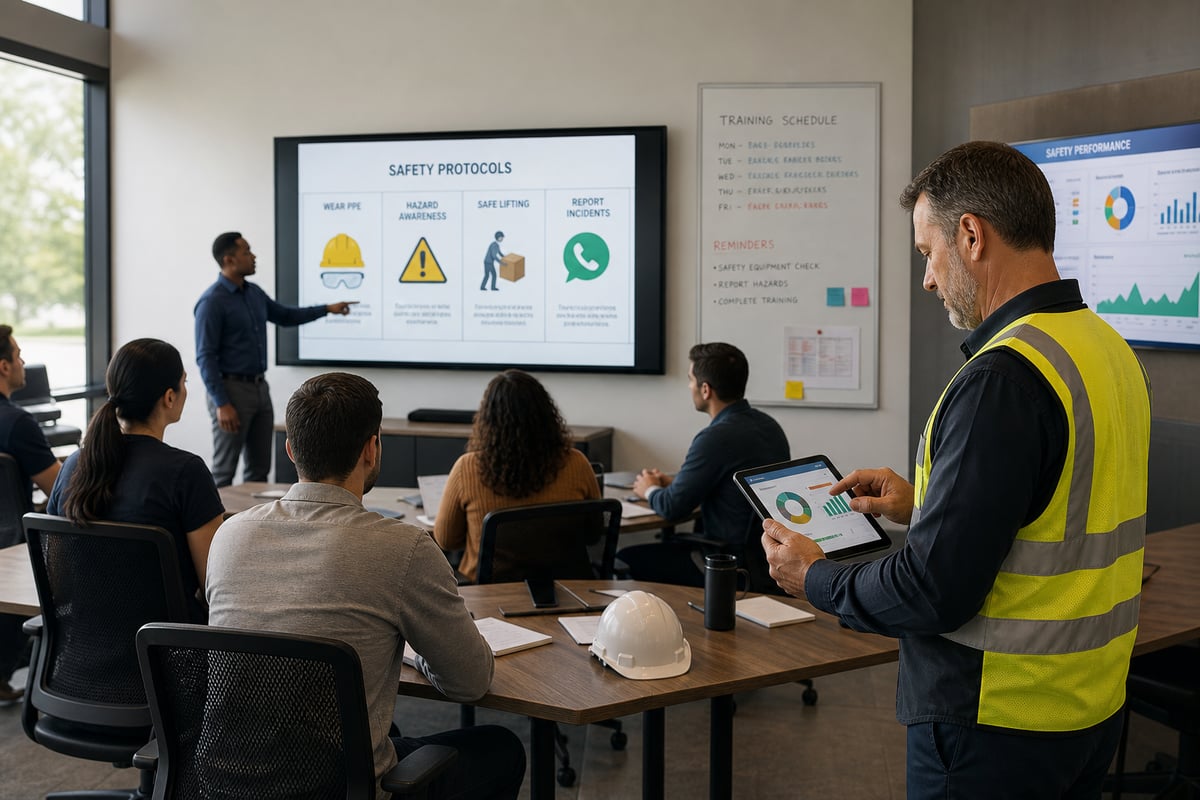
Quick answer: There is no single safety training platform that is right for every multi-site organization. The best fit depends on your workforce, required training, inspection process, reporting needs, existing systems, and budget. Ving may be a strong option for teams that want mobile training delivery, recurring schedules, checklists, and centralized records in one place.
Managing safety across several locations can get complicated quickly. Different shifts, job roles, hazards, and local requirements all create more details to track. A useful platform should make that work easier to organize without forcing your team into a process that does not fit how people actually work.
This guide offers a practical starting point for comparing six platforms. It is not a legal or regulatory determination, and it does not replace advice from qualified safety, legal, or compliance professionals.
Disclosure: Ving publishes this comparison and offers one of the products discussed. Ving is not affiliated with or endorsed by the other companies named here. Product information comes from publicly available vendor materials reviewed September 25, 2026. Features, packages, integrations, and pricing can change, so confirm current details directly with each provider.
Six platforms to consider
- Ving: Training, toolbox talks, checklists, inspections, scheduling, and compliance records for frontline and distributed teams
- SafetyCulture: An operations platform that connects inspections, actions, training, and analytics
- HSI: A broad platform covering EHS workflows, workforce training, risk, and chemical management
- KPA Flex: Configurable EHS software with training, a compliance calendar, mobile tools, and consulting options
- EHS Insight: A modular EHS platform with training management, audits, incidents, reporting, and mobile access
- Vector Solutions: A portfolio of LMS, industry training, workforce-readiness, and EHS products
What should multi-site teams compare?
A long feature list is not always helpful. Start with the day-to-day work your team needs to complete and the records you need to maintain.
- Training delivery: Can workers access assigned material on the devices and through the channels they already use?
- Recurring schedules: Can administrators set repeat assignments and reminders for training that needs to happen again?
- Inspections and corrective actions: Can teams document findings, assign follow-up work, and track it to completion?
- Multi-site visibility: Can managers view activity by site, team, role, or individual?
- Records and exports: Can authorized users find and export the documentation their organization needs?
- Configuration and integrations: Does the platform work with your HR, identity, reporting, and operational systems?
- Implementation: How much setup, training, and ongoing administration will your team need?
Software can support a safety program, but it cannot determine every requirement or guarantee compliance. Employers remain responsible for identifying the rules, hazards, training, and documentation that apply to their work.
Safety training and compliance platforms for multi-site teams
1. Ving
Ving brings training, toolbox talks, certifications, inspections, corrective actions, and compliance records into one platform. Its public product information describes delivery by text, email, QR code, and other mobile-friendly options, along with scheduling, reminders, dashboards, and Smart Checklists.
That approach may work well for organizations with frontline employees who do not spend their day at a desk. Teams can use short training formats or longer courses, create their own material, and organize assignments by factors such as role or location.
Ving may be worth considering if you want:
- Mobile-friendly training and toolbox-talk delivery
- Recurring assignments and reminders
- Training, certifications, inspections, and follow-up records in one system
- Checklists for inspections, procedures, and routine operational work
- Visibility across multiple teams or locations
Questions to ask Ving
- Which courses and regulatory topics are included in the package you are considering?
- How will your employee, role, and location data be set up and maintained?
- Which integrations and reports are available for your plan?
- What implementation and administrator support are included?
2. SafetyCulture
SafetyCulture is an operations platform with digital inspections, checklists, actions, analytics, and training capabilities. Its SC Training product offers mobile learning, course creation, recurring training, reporting, and tools for tracking digital and in-person activity.
This combination may appeal to teams that already use inspections and operational data to identify gaps and decide where follow-up training is needed.
SafetyCulture may be worth considering if you want:
- Digital inspections and operational checklists
- Mobile training and course-creation tools
- Actions and follow-up workflows connected to field activity
- Site-level analytics and reporting options
Questions to ask SafetyCulture
- Which inspection, training, analytics, and integration features are included in each plan?
- How do inspection findings connect to training assignments in your intended workflow?
- Which course content is relevant to your industry and jurisdiction?
- What offline capabilities and device requirements apply?
3. HSI
HSI describes its platform as connecting EHS, compliance, risk management, chemical management, and workforce training. Its product materials include inspections, audits, checklists, incident workflows, learning management, and safety course content.
HSI may be a useful candidate for organizations evaluating a broad EHS and training environment rather than a training-only tool.
HSI may be worth considering if you want:
- A wide range of EHS and workforce-training capabilities
- Learning assignments that can connect with EHS activity
- Inspection, audit, incident, and chemical-management workflows
- A large catalog covering safety and professional-development topics
Questions to ask HSI
- Which HSI products and modules are included in the proposed package?
- How are training, inspections, incidents, and corrective actions connected in that configuration?
- What administrator resources are needed for implementation and ongoing management?
- Which content, reporting, and integration options are included?
4. KPA Flex
KPA Flex is a cloud-based EHS platform. KPA's public materials describe incident management, online training, a compliance calendar, mobile access, configurable forms, equipment management, reporting, and analytics. KPA also offers consulting and training services.
The combination of software and service options may be useful for organizations that want technology plus access to outside support.
KPA Flex may be worth considering if you want:
- Configurable EHS forms and workflows
- Mobile access for field activity
- Training and compliance-calendar capabilities
- Optional consulting or program support
Questions to ask KPA
- Which software modules, training content, and services are included?
- How does the compliance calendar support your specific obligations and locations?
- What configuration work is required before launch?
- How are consulting services scoped and priced?
5. EHS Insight
EHS Insight offers a modular EHS platform that includes training management, incidents, audits, inspections, risk, reporting, and other capabilities. Its training materials describe recurring and one-time assignments, online and in-person records, reporting, mobile access, and content options.
A modular approach can be helpful when a team wants to select the EHS functions it needs and expand over time.
EHS Insight may be worth considering if you want:
- Configurable training and EHS workflows
- Recurring assignments and training records
- Mobile and offline access
- Reporting across employees, roles, and business entities
Questions to ask EHS Insight
- Which modules and content libraries are included in the proposed package?
- How will the system reflect your organizational structure and requirements?
- Which workflows can your team configure without custom development?
- What onboarding, support, and integration services are available?
6. Vector Solutions
Vector Solutions offers several products for learning, workforce readiness, and EHS management. Its portfolio includes industry-specific course libraries, LMS capabilities, competency tools, and Vector EHS software for areas such as incidents, inspections, hazards, corrective actions, and reporting.
Because Vector offers multiple products and industry configurations, the most useful comparison is the exact combination included in a vendor proposal.
Vector Solutions may be worth considering if you want:
- Industry-specific training libraries
- Structured learning paths and LMS capabilities
- Broader workforce-readiness tools
- An EHS product for incidents, inspections, hazards, and reporting
Questions to ask Vector Solutions
- Which LMS, course-library, and EHS products are included?
- How do those products share users, assignments, and records?
- Which features are native, and which require additional products or services?
- What implementation and administration resources should you plan for?
At-a-glance comparison
| Platform | Useful starting point | Confirm with the vendor |
|---|---|---|
| Ving | Frontline training, toolbox talks, scheduling, checklists, and centralized records | Content, integrations, reports, implementation, and plan details |
| SafetyCulture | Inspections, operational workflows, actions, training, and analytics | Plan-level features, content, integrations, and offline workflow |
| HSI | Broad EHS, training, risk, and chemical-management capabilities | Included products, modules, content, and administrator requirements |
| KPA Flex | Configurable EHS software, training, compliance calendar, and service options | Modules, consulting scope, configuration, and pricing |
| EHS Insight | Modular EHS and training-management workflows | Modules, content libraries, configuration, support, and integrations |
| Vector Solutions | Industry training, LMS, workforce-readiness, and EHS products | The exact product bundle and how its components work together |
How do you choose the right platform?
Start with a real workflow instead of a generic feature checklist. For example, map what happens when a supervisor finds a training gap during an inspection. Who assigns the follow-up? How does the worker receive it? Where is completion recorded? What can a manager see across locations?
Ask each vendor to demonstrate that workflow using your roles, sites, devices, and reporting needs. Also confirm the contract terms, security requirements, implementation responsibilities, data-retention options, accessibility, language support, and total cost.
How should you handle recurring safety training?
First identify the requirements that apply to each role and location. Some training is tied to a specific standard, hazard, task, event, or change in the workplace rather than a universal annual schedule. Qualified safety or legal professionals can help determine what applies.
Once requirements are defined, software can help organize assignments, reminders, records, and follow-up. The schedule should be reviewed whenever jobs, equipment, hazards, regulations, or company procedures change.
What should you look for in a toolbox-talk workflow?
Look at how a topic is selected, delivered, acknowledged, and documented. Make sure the process works for employees in the field and gives supervisors a practical way to address questions or conditions that cannot be handled by online content alone.
A digital record can support documentation, but it does not by itself prove that training was adequate, understood, or appropriate for every hazard. Your process should include the hands-on instruction, supervision, and evaluation required for the work.
Why teams consider Ving
Ving may be a strong fit for multi-site organizations that want to deliver training and toolbox talks through mobile-friendly channels while keeping schedules, certifications, inspections, corrective actions, and records together.
The right choice still depends on your requirements and workflow. Ask for a demonstration using a real scenario from your organization, confirm the applicable content and features, and compare the full implementation effort—not just the feature list.
If you would like to explore whether Ving fits your process, contact the Ving team.
Frequently asked questions
What is the best safety training platform for a multi-site team?
There is no universal best platform. The right fit depends on your workforce, hazards, required training, inspection process, reporting needs, integrations, administrative resources, and budget. Compare vendors using the same real-world workflows and requirements.
Can software automate recurring training?
Many platforms can schedule recurring assignments, send reminders, and track completion. Your organization must still determine when training or retraining is required and whether additional instruction, supervision, or hands-on evaluation is necessary.
Can a safety platform guarantee OSHA compliance?
No. Software can help organize training, inspections, records, and follow-up, but compliance depends on the standards and hazards that apply, the quality and adequacy of the program, and how the organization implements it.
Do safety platforms include inspection tools?
Some do, either within the main platform or through a related product or module. Confirm what is included in the specific package, how inspection findings connect to corrective actions or training, and what additional configuration may be required.
How often should this comparison be reviewed?
Review it whenever a vendor changes its products or packaging and at least periodically before relying on it for a purchasing decision. Ask vendors to confirm current capabilities in writing.

Leave a Comment